

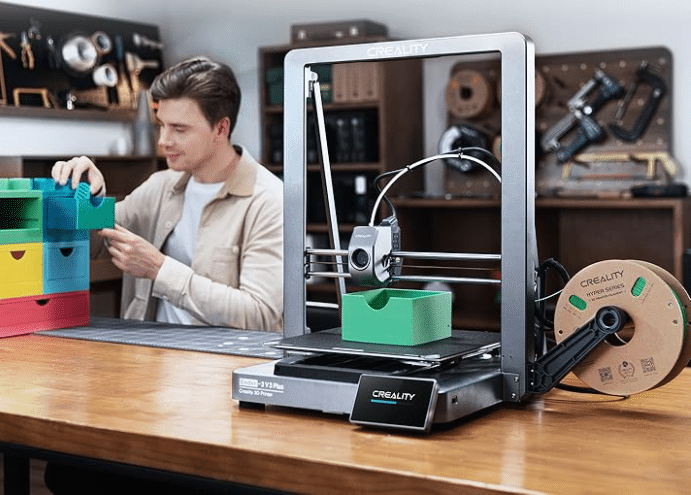
Layer height is often the first setting people adjust when trying to improve 3D print quality, but it represents only one aspect of a much larger system. High-quality prints depend on how well materials, hardware, environment, and calibration work together. Understanding these factors helps reduce failed prints and achieve consistent results.
Filament Quality and Storage
Print quality starts with the filament. Variations in diameter, moisture absorption, or material consistency can cause uneven extrusion, weak layers, or surface defects. Even a perfectly calibrated printer cannot compensate for poor filament.
Proper storage in dry conditions, combined with the use of reliable materials, significantly improves consistency.
Temperature Control and Stability
Extrusion temperature influences surface finish, layer adhesion, and structural strength. Too much heat can cause sagging and stringing, while insufficient heat leads to weak layer bonding. Consistent thermal behavior throughout the print is just as important as the selected temperature value.
Stable temperatures reduce warping and dimensional inaccuracies.
Mechanical Precision and Maintenance
Loose belts, worn rails, or frame flex introduce vibrations that appear as ringing or uneven layers. Mechanical stability often has a greater impact on print quality than slicer adjustments.
Regular maintenance ensures smooth and predictable motion.
Extrusion Flow and Calibration
Accurate extrusion ensures correct dimensions and smooth surfaces. Over-extrusion results in rough textures, while under-extrusion creates gaps and weak walls. Calibrating flow rate and retraction settings often produces noticeable improvements without changing layer height.
Cooling and Airflow Management
Cooling affects how quickly layers solidify. Effective cooling improves detail on overhangs and bridges, but excessive airflow can weaken layer adhesion. Finding the right balance is essential for both appearance and strength.
Different materials require different cooling strategies.
First Layer Accuracy and Bed Preparation
The first layer determines the success of the entire print. Poor bed leveling or weak adhesion often leads to warping, shifting, or complete print failure. A clean, level build surface dramatically improves print reliability and reduces wasted material.
Hardware Configuration Decisions
Hardware choices strongly influence print outcomes. One especially important factor is 3D printer nozzle size, which affects extrusion width, surface detail, print speed, and material flow behavior.
Choosing the right nozzle for each application can significantly improve print quality and efficiency. For a detailed explanation of nozzle types and sizes, refer to this guide on 3D printer nozzle size.
Environmental Conditions
Ambient temperature, humidity, and airflow around the printer also play a role. Drafts and sudden temperature changes can cause layer separation or surface defects, especially on larger prints. A controlled environment leads to more predictable and repeatable results.
Final Thoughts
Print quality is the result of system-level optimization rather than a single setting. By looking beyond layer height and refining materials, mechanics, hardware choices, and environment, makers can achieve consistently high-quality prints with fewer failures.
As a leader in the 3D printing industry, Creality continues to push these boundaries by providing robust hardware and intuitive software designed for this exact type of precision. By choosing Creality ecosystems—from high-performance filaments to advanced hardware upgrades—makers can achieve consistently high-quality prints with fewer failures, turning complex designs into flawless reality.