

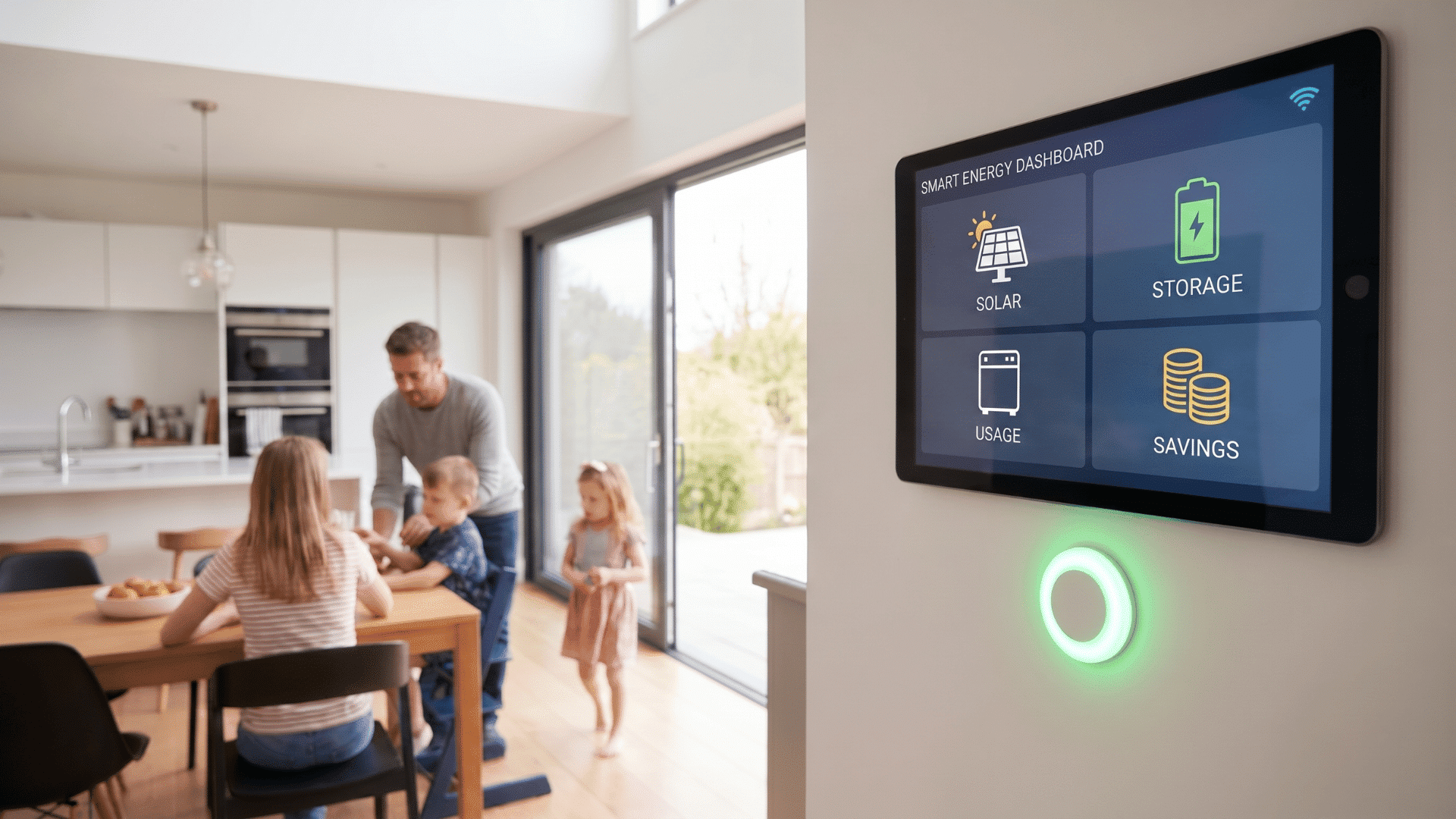
Energy bills can rise fast, even in a small home. If you feel the same, you’re not alone. The good news is that smart technology can help you take control.
In this guide to smart home energy management, I’ll walk you through simple ways to track and reduce your power use.
You’ll learn what smart energy systems are, how they work, and which devices actually make a difference. I’ll also cover costs, setup tips, and easy ways to save energy every day.
By the end, you’ll have a clear idea of how to build a smarter, more efficient home without feeling confused or overwhelmed.
What is Smart Home Energy Management?
Smart home energy management is a simple way to track and control how your home uses power. These systems are often called a Home Energy Management System, or HEMS for short. I like to think of a HEMS as a control center that helps you see where your energy goes and gives you tools to manage it better.
At its core, it connects devices like thermostats, plugs, and energy monitors to one system. You can check everything through an app on your phone.
That means you don’t have to guess which appliances use the most power. The main goal is to reduce energy waste and lower your bills.
I use this kind of setup to turn off devices when I’m not home or adjust settings without walking to each room.
You can also set schedules, like lowering the heating at night or turning lights off automatically. It gives you control, without making things complicated.
How Smart Home Energy Systems Work
Here’s how everything works together inside a smart home energy system.
Step 1: Smart plugs, thermostats, sensors, and energy monitors collect basic data from your home. They show how much power your devices use and when they use it most.
This connection between devices is made possible by the Internet of Things, or IoT. It’s what allows your smart plugs, thermostat, and energy monitor to share data with each other and with the app on your phone. Without IoT, each device would work on its own, and you’d lose the ability to manage everything from one place.
Step 2: The system shares this information with an app or dashboard. I like this because you can check your energy use without guessing. You can see where your power is going in real time.
Step 3: Over time, it notices habits, like high power use in the evening or wasted energy from devices left on.
Step 4: You can set lights, heating, cooling, or appliances to turn on and off at certain times.
Step 5: Once the rules are set, the system works in the background. You save energy without checking every device all day.
Key Benefits of Smart Energy Management
These are the key benefits of smart energy management.
- Lower energy bills: I find this to be the biggest win. A smart thermostat alone can cut heating and cooling costs by 10–15% by stopping your system from running in an empty house. Add energy monitoring and smart plugs, and the savings add up faster than most people expect.
- Better control over your home: You can manage devices from your phone anytime, anywhere. You stay in control even when you’re not home.
- Saves time and effort: You don’t have to switch things on or off all day. The system handles it for you.
- Reduces energy waste: Devices won’t run when they’re not needed, which helps avoid wasted power.
- Easy to build good habits: Over time, you use energy more wisely without thinking too much about it.
Types of Smart Home Energy Management Systems
When I first looked into smart energy systems, I noticed there isn’t just one type. You have a few options, and each one fits different needs.
Standalone Systems: These are simple and focused on one device or area, like a smart plug or thermostat. They are easy to use and budget-friendly.
Whole-Home Systems: These connect multiple devices across your home into one system. They give you full control over your energy use.
Cloud-Based Vs Local Systems: Cloud systems work online, while local systems store data inside your home. Cloud offers access, local offers more privacy.
Here’s a simple comparison:
| System Type | Best For | Key Benefit |
|---|---|---|
| Standalone | Small setups | Easy and low cost |
| Whole-Home | Full home control | All devices in one system |
| Cloud-Based | Remote access | Control from anywhere |
| Local | Privacy-focused use | Works with less internet |
best-smart-devices-for-energy-control
Smart devices can make a big difference in how your home uses energy. You don’t need to buy everything at once. Starting with a few useful tools is enough to see real results.
1. Smart Thermostats: Save Energy and Money
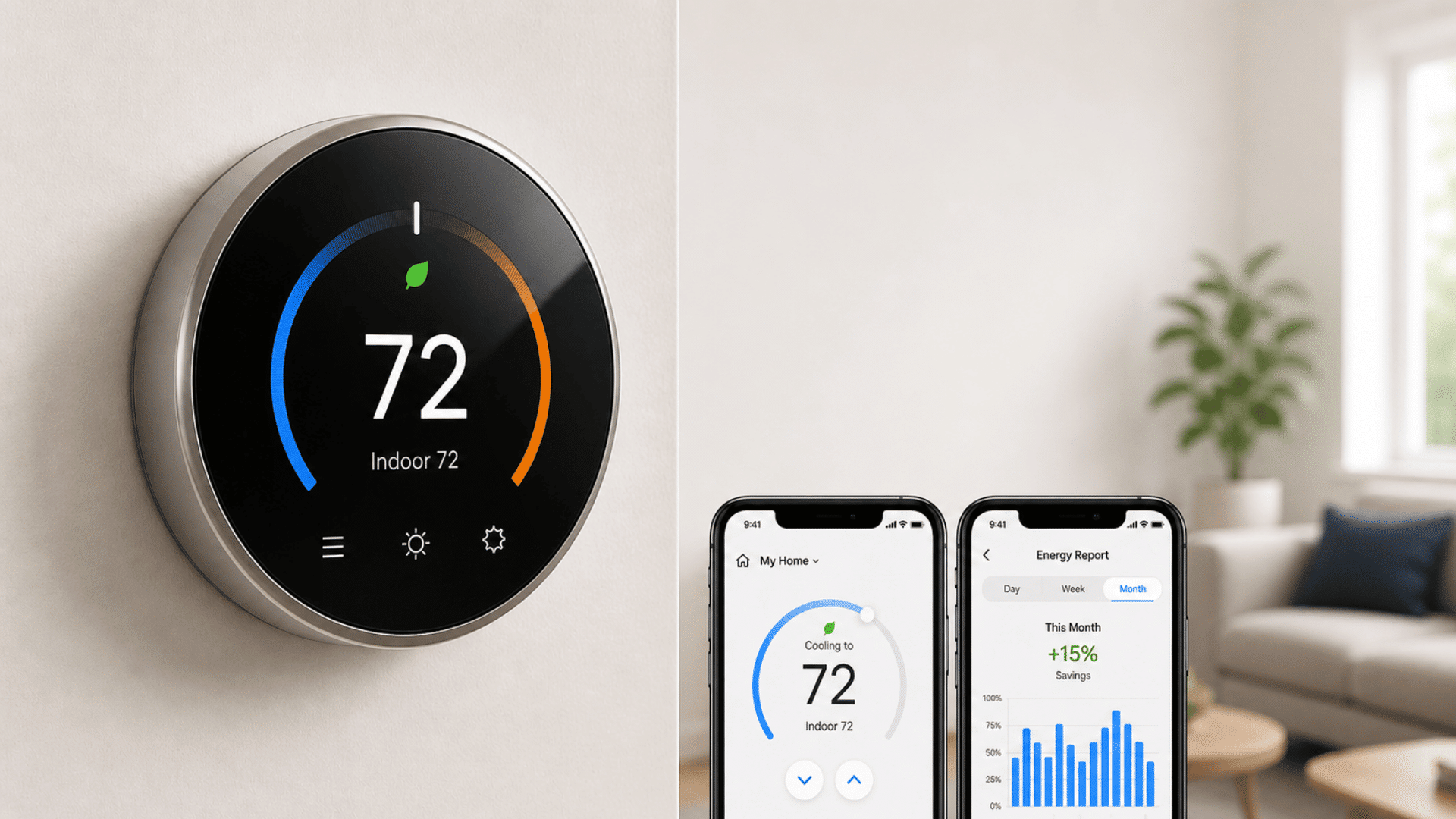
Smart thermostats help control heating and cooling without constant effort. They adjust temperature based on your routine, so energy is not wasted when you are away or asleep.
You can also set schedules to match your daily life. Many models learn your habits over time and improve settings on their own.
For example, a Nest thermostat tracks when you typically leave for work and arrive home, then builds a schedule around those patterns automatically. After about a week, it stops asking you to adjust settings and starts doing it for you.
They reduce energy use while keeping your home comfortable. This makes them a strong choice if heating and cooling take up a large part of your energy bill.
2. Smart Plugs and Power Strips
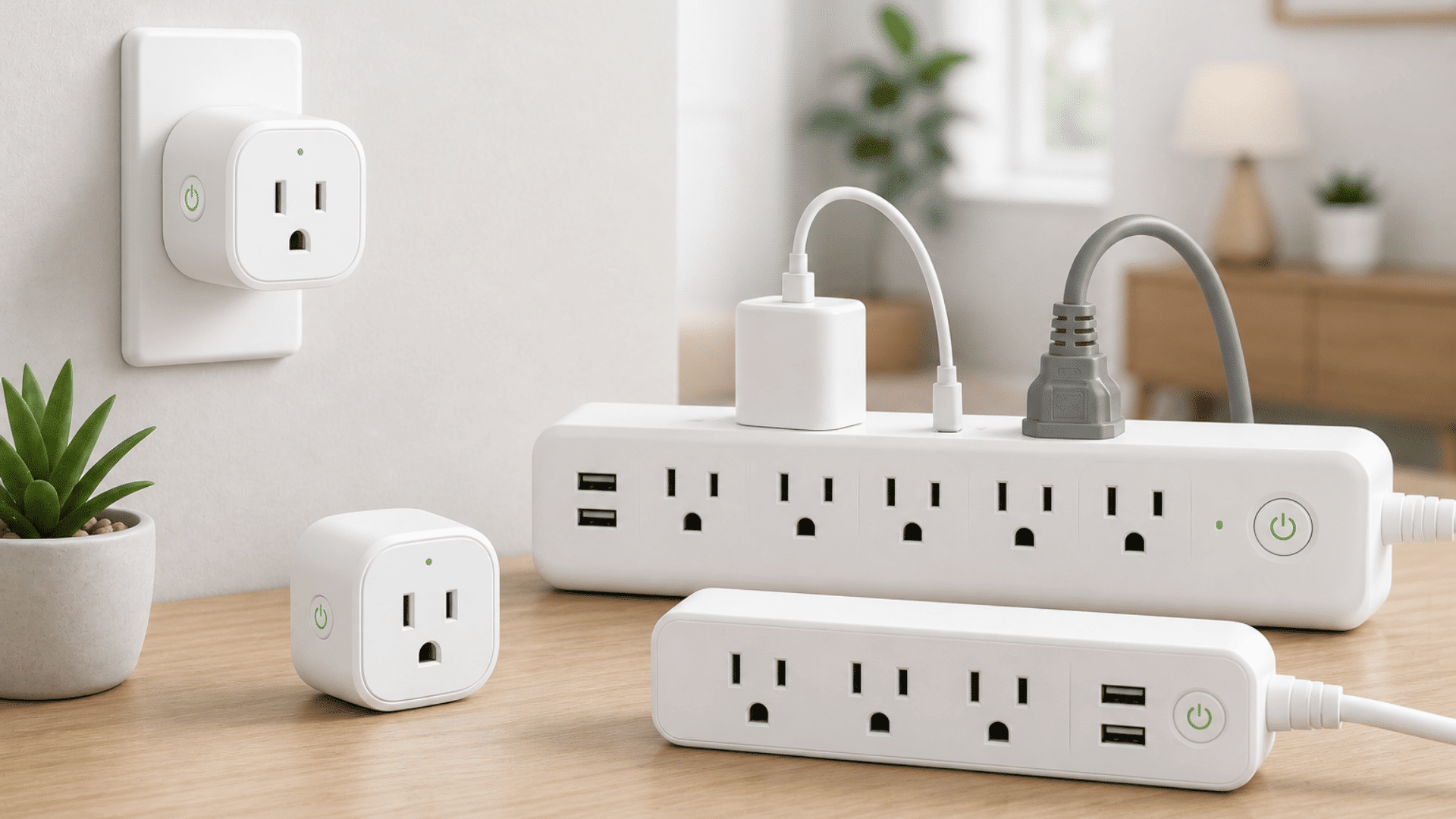
Smart plugs and power strips give you control over devices that stay plugged in all day. You can turn appliances on or off using your phone, even if you are not at home.
They also help stop standby power use, which many devices draw when not in use. Setup is simple and does not need special tools.
They help cut hidden energy waste in everyday items. This makes them a good starting point for managing small but constant energy use.
3. Home Energy Monitors: Track Your Usage
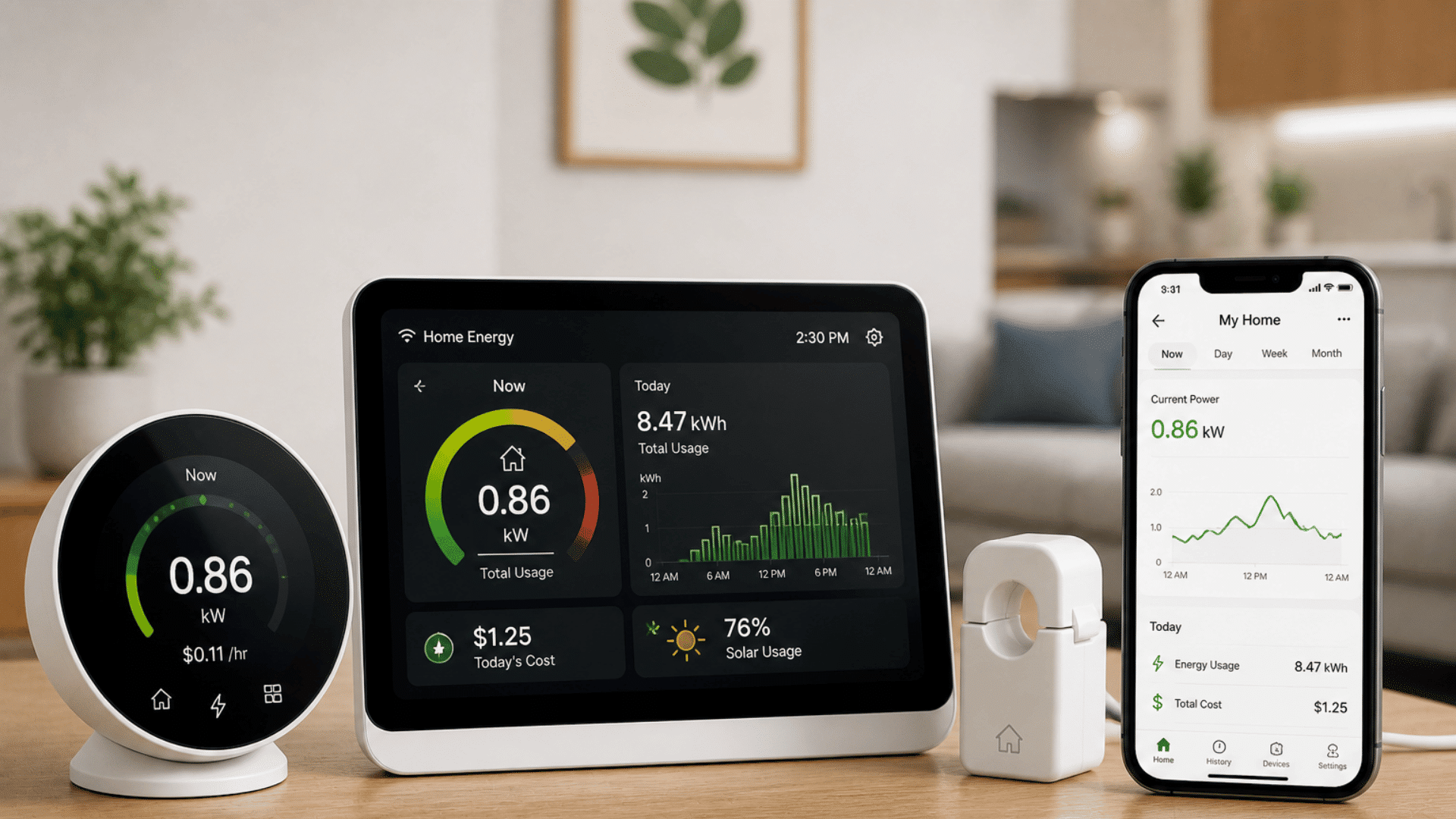
Home energy monitors show how much power your home uses in real time. They connect to your system and send data to an app, where you can see clear usage patterns.
This helps you understand which devices use the most energy and when. With this information, you can make better decisions about what to change.
They give you clear insight into your daily energy use. This makes it easier to reduce waste and improve efficiency over time.
Solar Integration with Smart Energy Systems
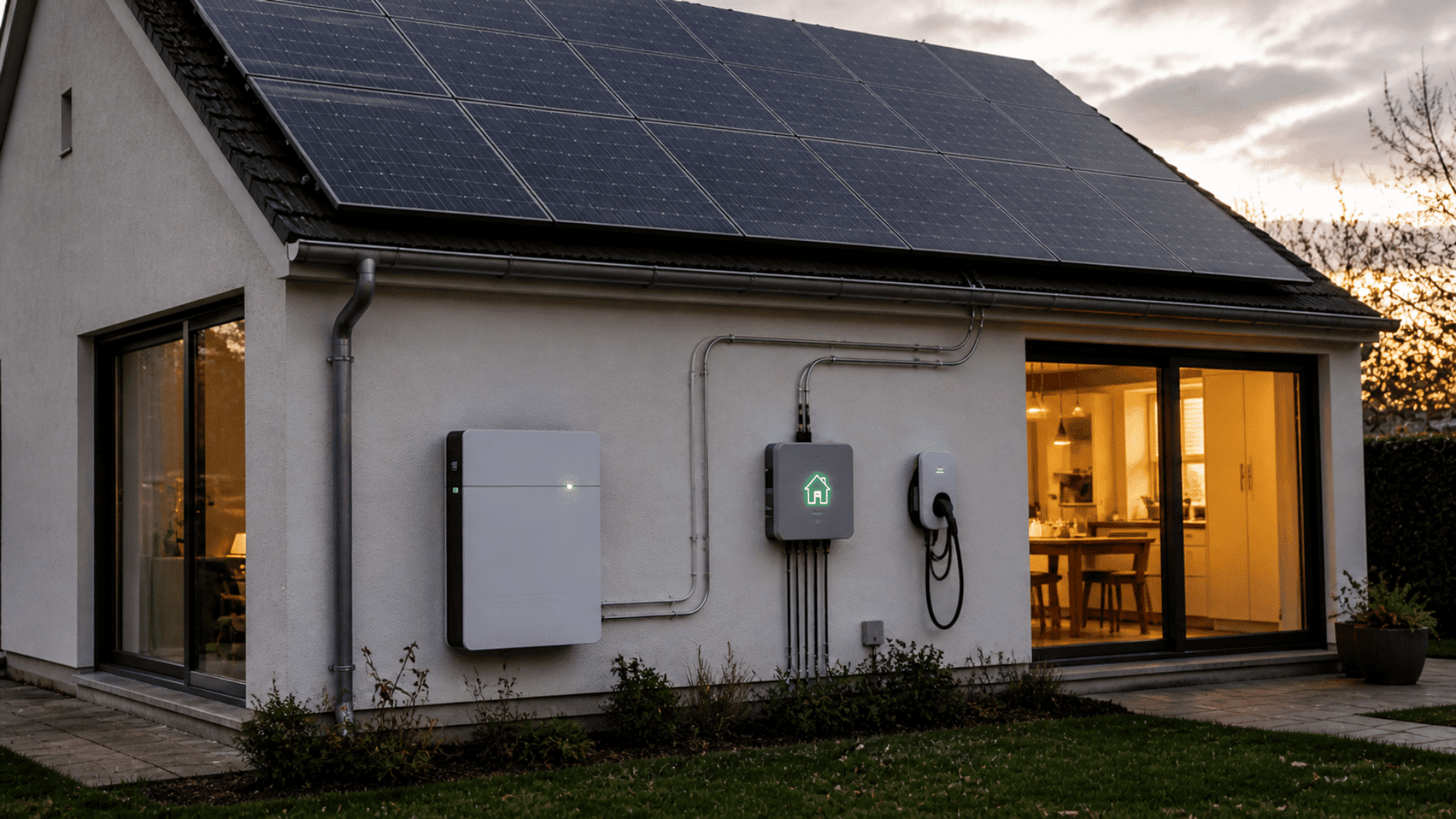
Adding solar to a smart energy system can make a big difference in how your home uses power. I see it as a way to not just track energy, but also produce your own.
Solar panels generate electricity during the day, but your home doesn’t always use power at the same time the panels produce it. That’s where the smart system comes in. It tracks both production and consumption in real time and decides where the power goes based on rules you set.
The typical priority looks like this: power your appliances first, then send any extra to a battery for storage, and only send the remainder back to the grid. When the sun goes down or output drops, the system pulls from the battery before drawing from the grid.
You can also time high-draw appliances like dishwashers or washing machines to run during peak solar hours, so you’re using your own energy instead of paying for grid power.
Over time, this combination of solar and battery storage can significantly reduce what you owe your utility each month.
How to Choose the Right Energy System
Start with what fits your home and daily routine. Focus on solving real energy problems instead of adding too many devices at once.
- Start simple: Begin with a basic setup and expand over time instead of installing everything at once.
- Check high energy use: Identify where most power is used, like heating, cooling, or always-on devices.
- Solve real problems: Choose devices that fix specific issues rather than buying extra tools you may not need.
- Check compatibility: Make sure all devices work smoothly with your phone app or system hub.
- Plan your budget: Balance upfront cost with long-term savings to avoid overspending.
- Keep it easy to use: Pick systems that are simple, so you stay consistent with using them.
Cost of Smart Home Energy Solutions
Here’s a simple breakdown of common smart home energy devices and their typical costs:
| Device Type | Price Range | What It Does |
|---|---|---|
| Smart Plugs | $10 to $40 each | Controls the power to devices and tracks usage |
| Smart Thermostats | $80 to $300 | Adjusts heating and cooling automatically |
| Home Energy Monitors | $150 to $200 | Tracks total energy use in your home |
You can mix low-cost and mid-range devices to stay within budget.
If you want a full system, the costs go higher. A basic smart home setup can range from $1,500 to $5,000, while larger systems can cost more.
Here’s how costs typically look when you think about the full setup, not just individual devices:
Entry-Level Setup ($200–$800): A smart thermostat, one or two smart plugs, and a basic energy monitor. Good for renters or anyone starting small. You get real-time usage data and basic scheduling without rewiring anything.
Mid-Range Setup ($800–$3,000): Multiple smart devices across your home, connected through a central hub or app. Often includes a more capable energy monitor like the Emporia Vue, automation features, and sometimes a small battery for backup. Strong savings potential for most households.
Advanced Setup ($5,000–$15,000+): Whole-home systems with solar panels, battery storage, and full automation. Best for homeowners who want energy independence or near-zero grid reliance.
Start small, then upgrade as you see savings and results.
Tips to Reduce Energy Use with Smart Tech
Small changes with smart devices can lead to steady savings. These tips help you use your setup in a simple and practical way.
- Set Daily Schedules: Create routines for lights, heating, and cooling so they turn off when not needed. Many utility companies charge more for power during peak hours, typically mid-afternoon to early evening, and less overnight. This is called Time-of-Use (TOU) pricing. Scheduling heavy appliances like dishwashers or laundry to run during off-peak hours can lower your bill without changing how much energy you actually use.
- Use Automation Features: Let your system handle tasks based on time or activity. Automation helps reduce effort while keeping energy use in check.
- Check Energy Usage Regularly: Open your app once in a while to see where power is going. This helps you spot high usage and adjust quickly.
- Turn Off Idle Devices: Many devices use power even when not active. Smart plugs can cut power completely when devices are not in use.
- Focus on High-Use Areas: Start with heating, cooling, or large appliances. Targeting major energy users gives faster and better results.
Common Mistakes to Avoid
Here’s a simple table to help you spot common mistakes and fix them quickly before they affect your setup.
| Common Mistakes | Solutions |
|---|---|
| Buying too many devices at the start | Start with one or two useful devices and add more later |
| Ignoring device compatibility | Check if devices work with your app hub or smart assistant before buying |
| Skipping automation features | Set schedules, timers, or rules so devices can save energy for you |
| Ignoring your energy data | Open the app once a week and look for anything higher than usual — that’s where your next saving is hiding |
Future Trends in Smart Home Energy Management
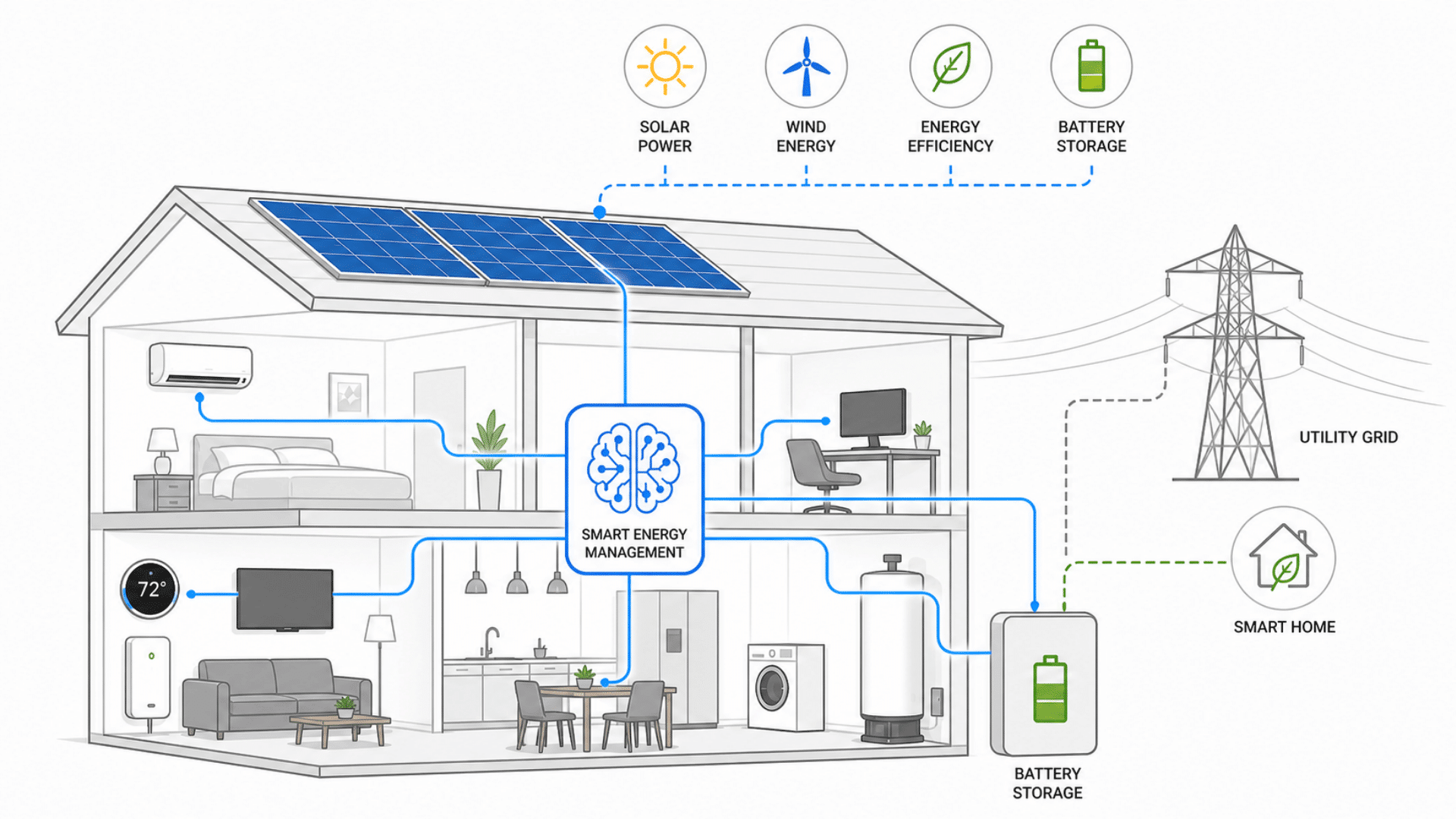
The systems available today are already useful, but what’s coming in the next few years will make them significantly easier to set up and much harder to ignore on your energy bill.
A big part of this progress comes from AI. These systems can now learn your daily habits, like when you wake up, leave home, or go to sleep. Over time, AI adjusts heating, cooling, and lighting automatically, so you don’t have to keep changing settings.
AI also helps manage energy more efficiently. It can decide when to use power, when to store it in a battery, and when to pull from solar panels. This means your home uses energy in a smarter way without extra effort from you.
Renewable energy is becoming a bigger part of this system. More homes are adding solar panels and battery storage. AI helps connect everything smoothly, making sure energy is used at the best time.
Apps and controls are also improving. You’ll be able to see everything in one place and make quick changes if needed, but most of the time, AI will handle things in the background.
In the future, smart homes will stay comfortable while using less energy, with AI quietly making the best decisions for you.
Final Thoughts
Smart home energy management doesn’t have to feel complicated. Once you understand the basics, it becomes easier to make small changes that actually matter.
You don’t need to upgrade your whole home at once. Start with one device, see how it works for you, and build from there.
Over time, these small steps can lead to lower bills, less waste, and better control over your home. That’s what makes it worth trying.
The key is to keep things simple and stay consistent.
Frequently Asked Questions
What Runs Up Your Electric Bill the Most?
Heating and cooling systems use the most electricity, followed by water heaters, dryers, and refrigerators. Managing these with smart devices can help lower energy costs.
What are the Worst Appliances to Leave Plugged In?
TVs, gaming consoles, chargers, microwaves, and coffee makers draw standby power. Unplugging or using smart plugs helps reduce wasted electricity and lowers your bill.
What is Vampire Energy Use?
Vampire energy is power used by devices when turned off but still plugged in. It adds up over time and increases bills without you even noticing it.